

The MS Teams Attendance Report Gap: What the Teams Connector Misses
By Wesley Erickson
- Copilot Intelligent Recap and Facilitator Collaborative Notes exclude attendance entirely. When users ask Copilot chat to fill the gap by attaching the meeting and prompting for who attended, the output is inferred from transcript and chat activity, not the verified attendance report. Muted participants are invisible.
- The new native Teams connector actions do not close the gap. The “Get an online meeting” action returns the invite list, not attendance records. Join times, leave times, and no-shows are not included.
- The Graph API has the verified data. The
onlineMeetingsattendance report endpoint returns confirmed join and leave times for every participant, recorded by Teams, not inferred. - A Power Automate flow closes the gap. One custom connector, four delegated Graph permissions, and a flow that runs in under a minute produces a complete invited-vs-attended Excel roster in SharePoint.
Microsoft recently shipped a wave of new actions to the standard Teams connector in Power Automate: transcript retrieval, recording access, call data. You can see the full list in the Microsoft Teams connector reference on Microsoft Learn.
It is a real improvement. And it left one gap most organizations have not noticed yet.
Attendance reports are not included.
Why This Is an Operational Problem
Two Microsoft features generate post-meeting summaries after a Teams call ends:
- Microsoft Copilot Intelligent Recap: AI summary with meeting notes and follow-up tasks. No attendance section.
- Collaborative Notes for Microsoft 365 Facilitator: a structured Loop document with agenda items, decisions, and action items. No attendance section.
Neither includes attendance data. That is by design, not a bug. The problem shows up in what happens next.
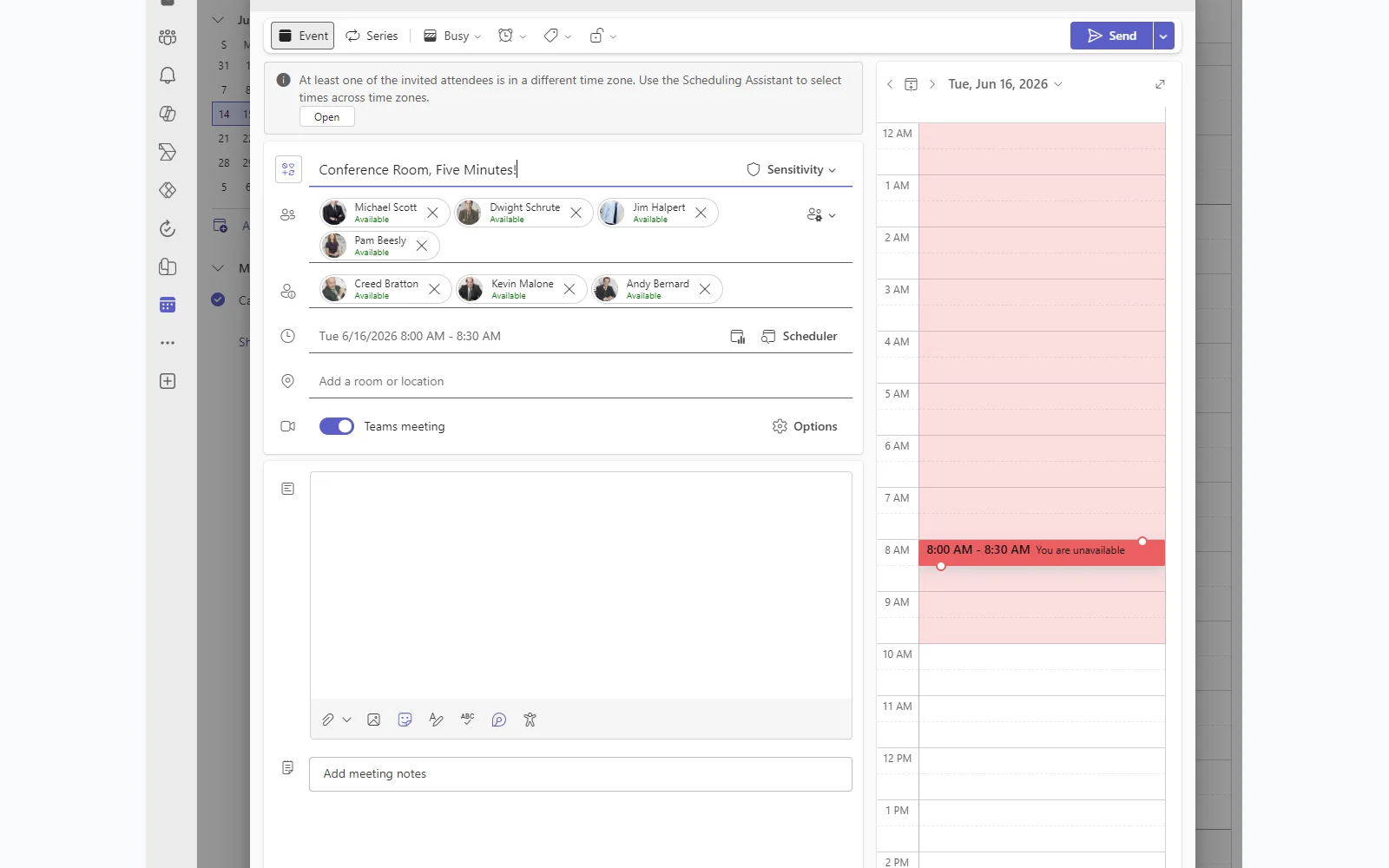
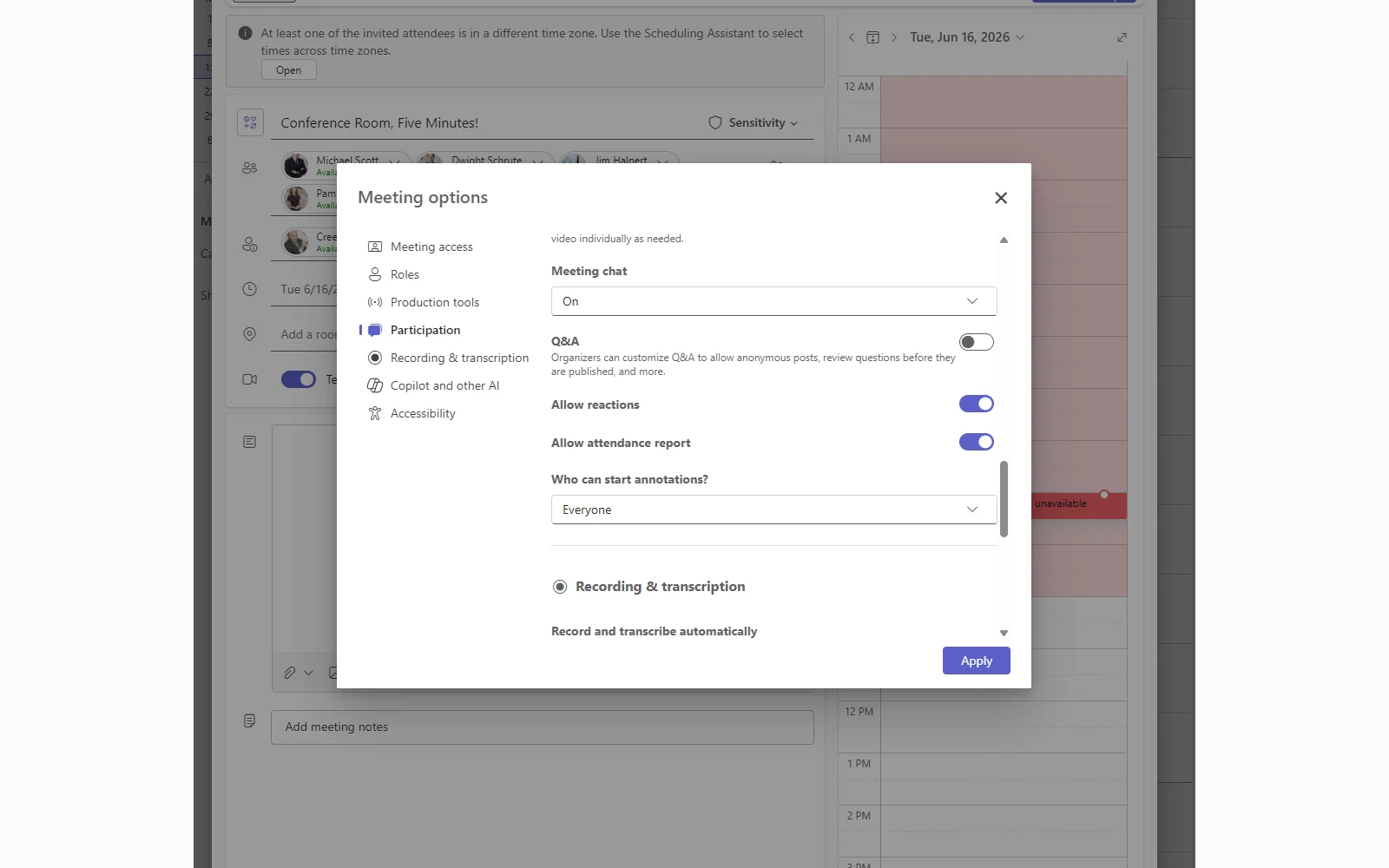
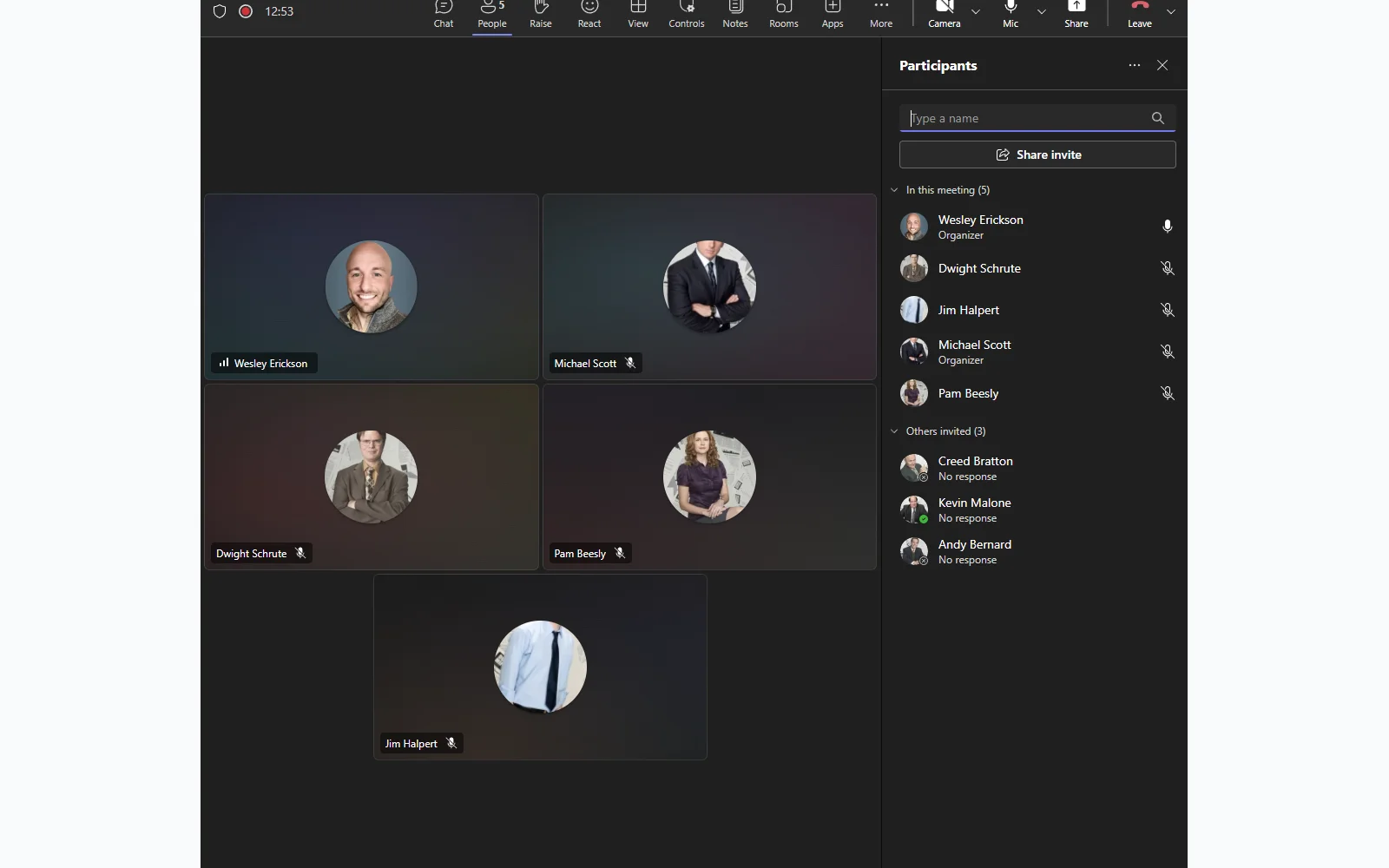
When teams notice the gap, the instinct is to ask Copilot directly. Someone opens Copilot chat, attaches the meeting, and prompts it for who attended. The output has names. It looks like a verified list. It is not. Copilot infers presence from the transcript and meeting chat. If you spoke or typed, you show up. If you joined and stayed on mute for the entire call, which is common in any meeting with a large invite list or passive observers, you are invisible.
The output looks like attendance data. It is participation data. For a casual team standup that distinction does not matter. For a go/no-go decision, a compliance review, or any meeting where attendance has downstream accountability, it is an accuracy problem wearing the appearance of a verified record.
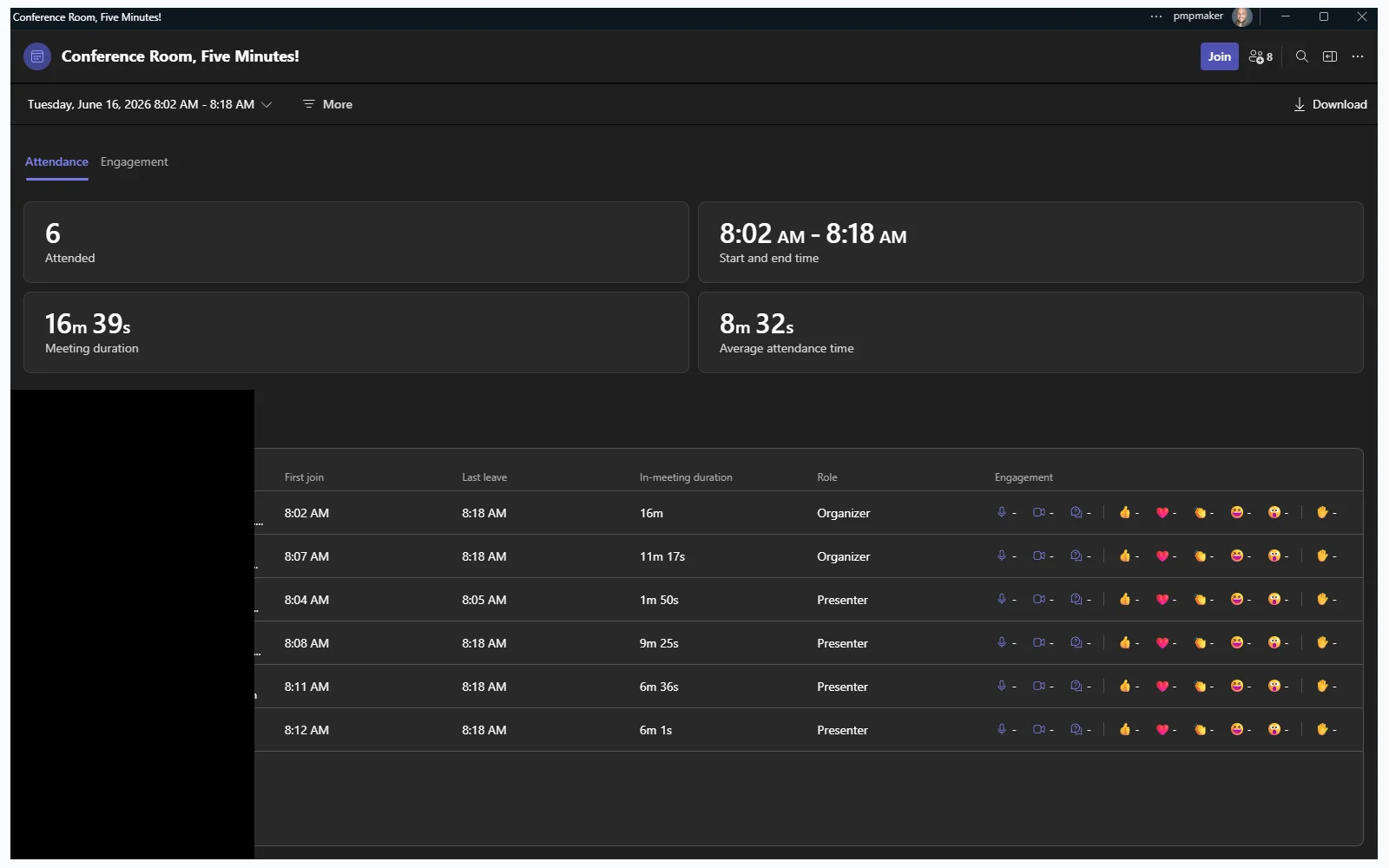
Teams already has the right answer. The Attendance tab in every meeting shows verified join times, leave times, total duration, and role for every participant. This is recorded by Teams, not inferred. Getting it out of Teams and into a usable format is the gap this post covers.
What the New Native Action Returns (and What It Does Not)
Microsoft has been moving quickly on Teams automation in Power Automate. The standard Teams connector now includes triggers and actions that previously required custom connectors or Graph API calls: triggers that fire when a recording becomes available for a meeting, when a transcript becomes available, and actions that retrieve that content directly from the connector.
This is a real improvement. For transcripts and recordings, the native connector now handles what once required an app registration and custom connector setup. That closes a meaningful gap for most meeting automation use cases.
Attendance reports are not included.
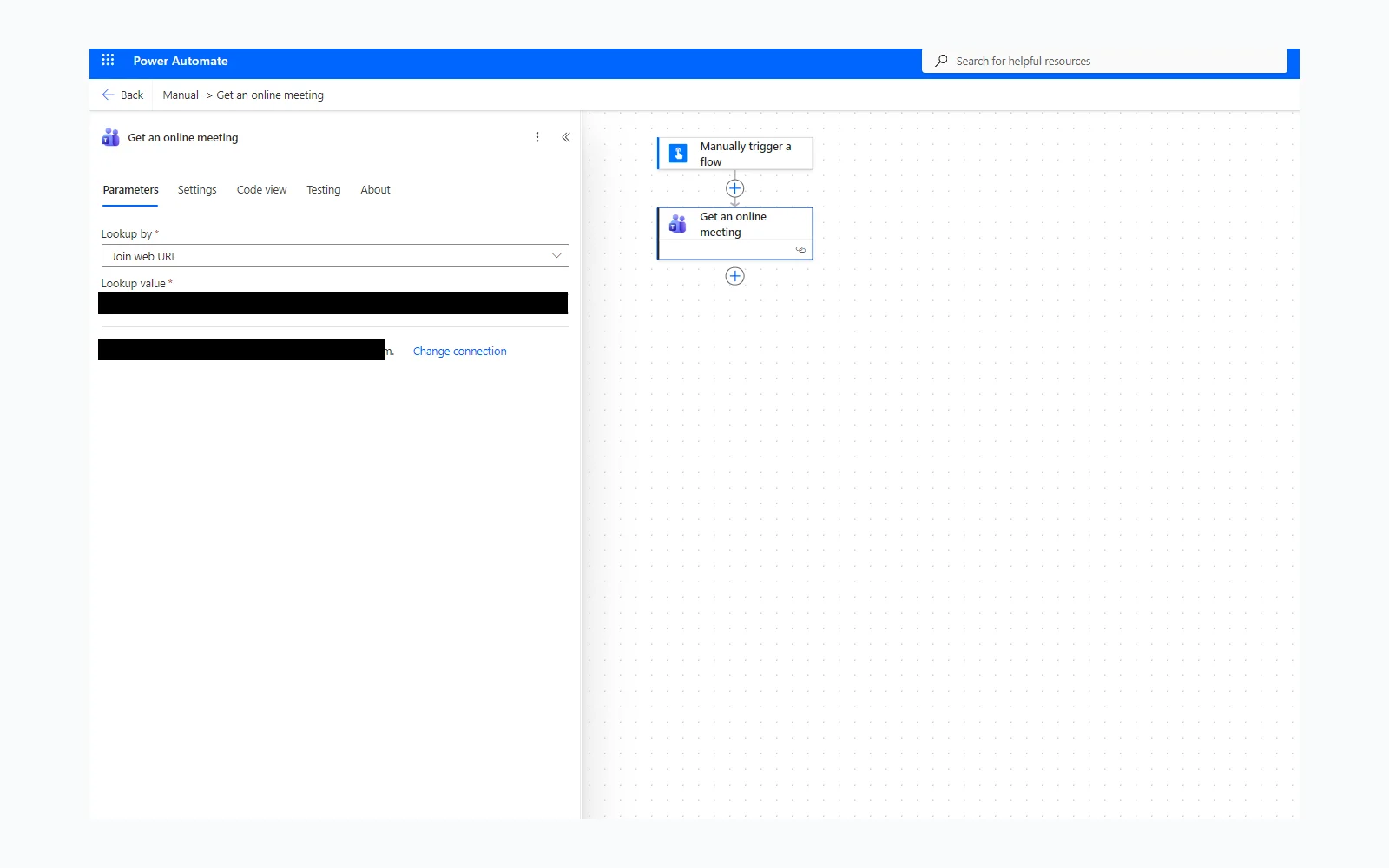
Before building anything, it is worth understanding what the new “Get an online meeting” action actually returns.
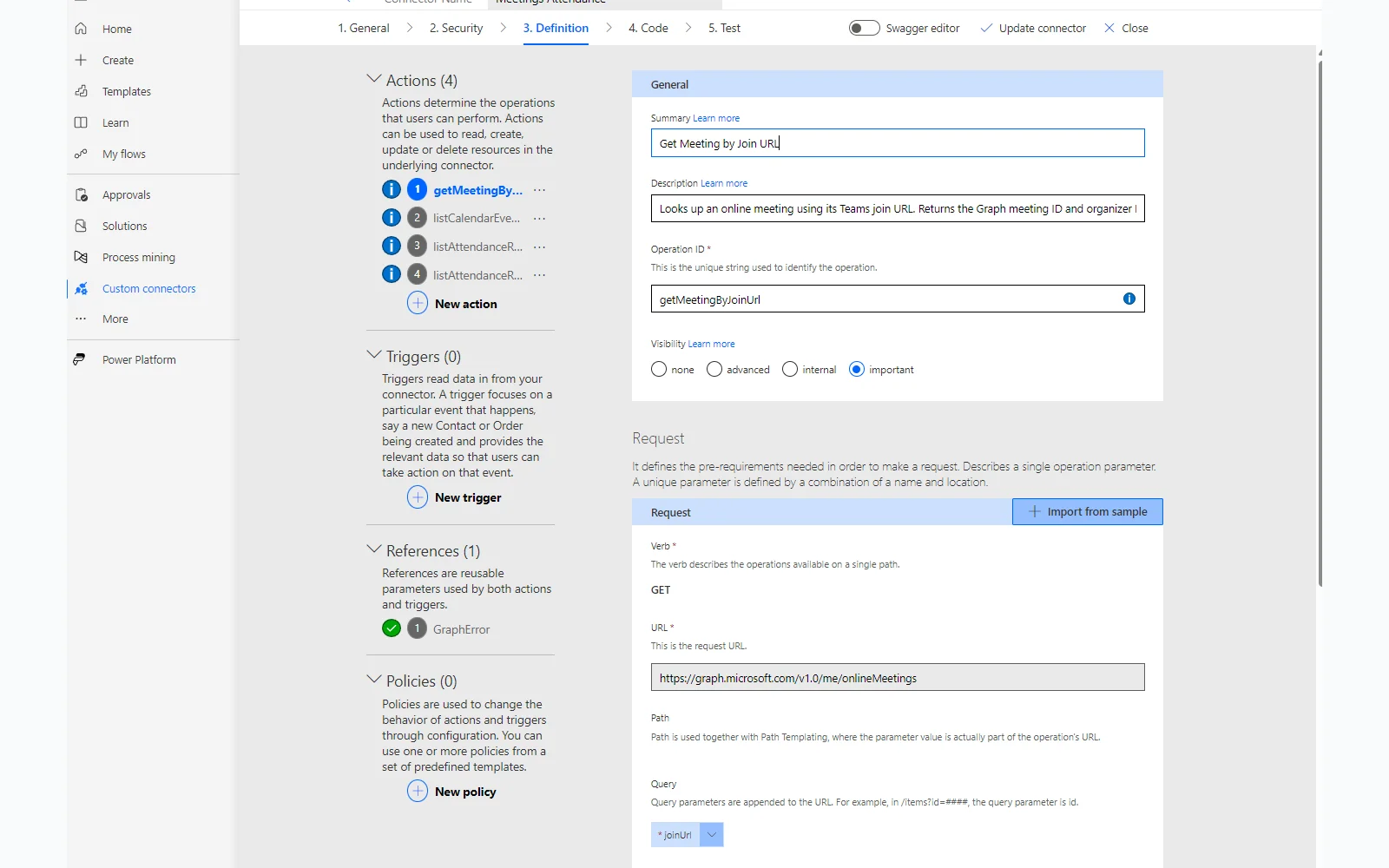
The action takes a join URL and gives you the meeting object: ID, start time, iCalUid, and a list of invited participants. That is useful and simplifies several steps that used to require a Graph API call.
What it does not return: join times, leave times, duration, or any indication of who actually showed up. The participants array is the invite list, not the attendance record. The native connector covers transcripts, recordings and AI Insights. Attendance is the one gap it leaves open, and it is the gap that matters most when a meeting has downstream accountability attached to it.
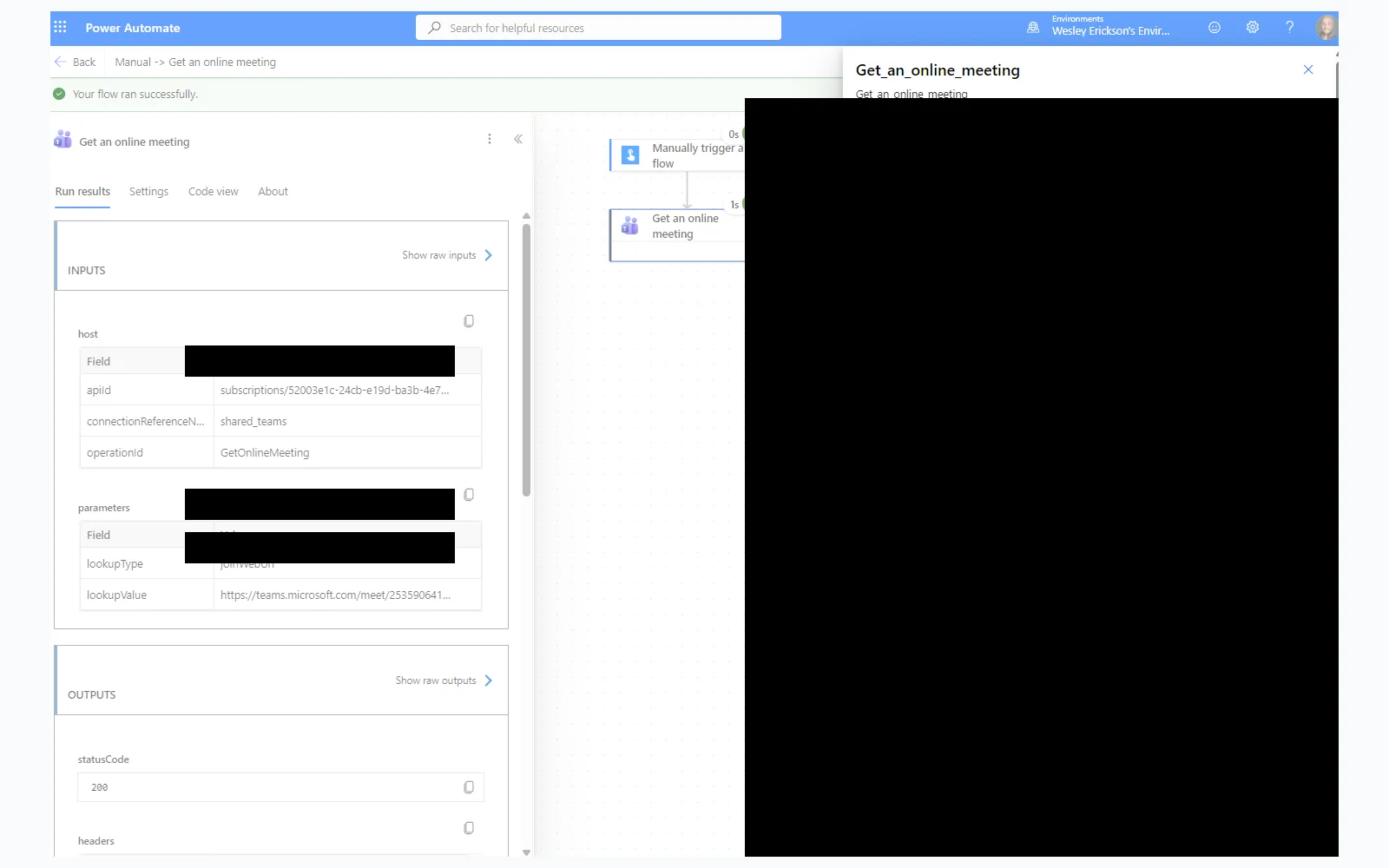
Here is the full picture across all three data sources:
| Data | Native Connector | Calendar Event | Attendance Report |
|---|---|---|---|
| Invite list | Yes (UPN only) | Yes (full) | No |
| Required vs Optional | No | Yes | No |
| RSVP status | No | Yes | No |
| Verified join time | No | No | Yes |
| Verified leave time | No | No | Yes |
| No-shows visible | No | Cross-reference | Yes |
The native action replaces one step. It does not close the attendance gap.
What the Flow Produces
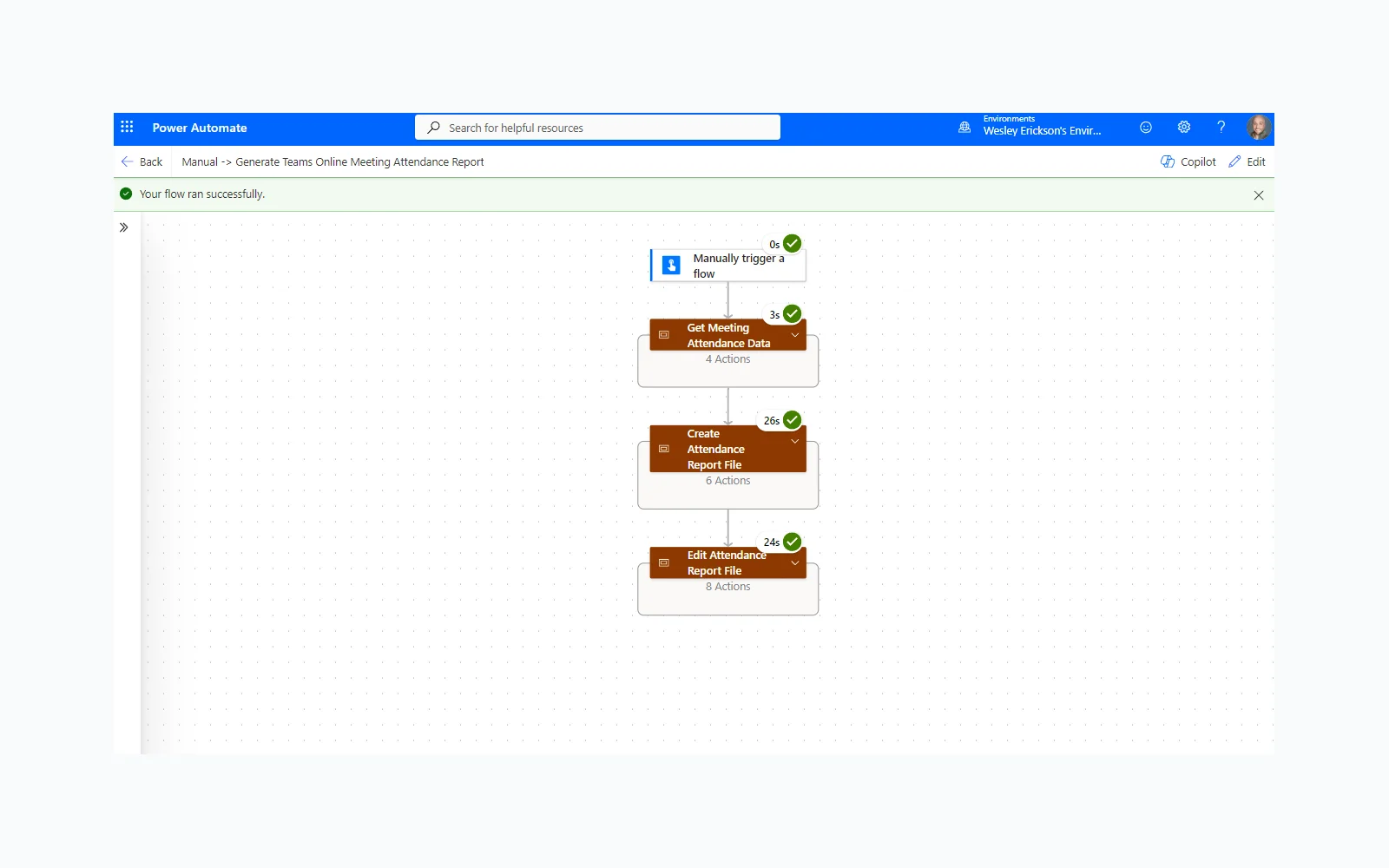
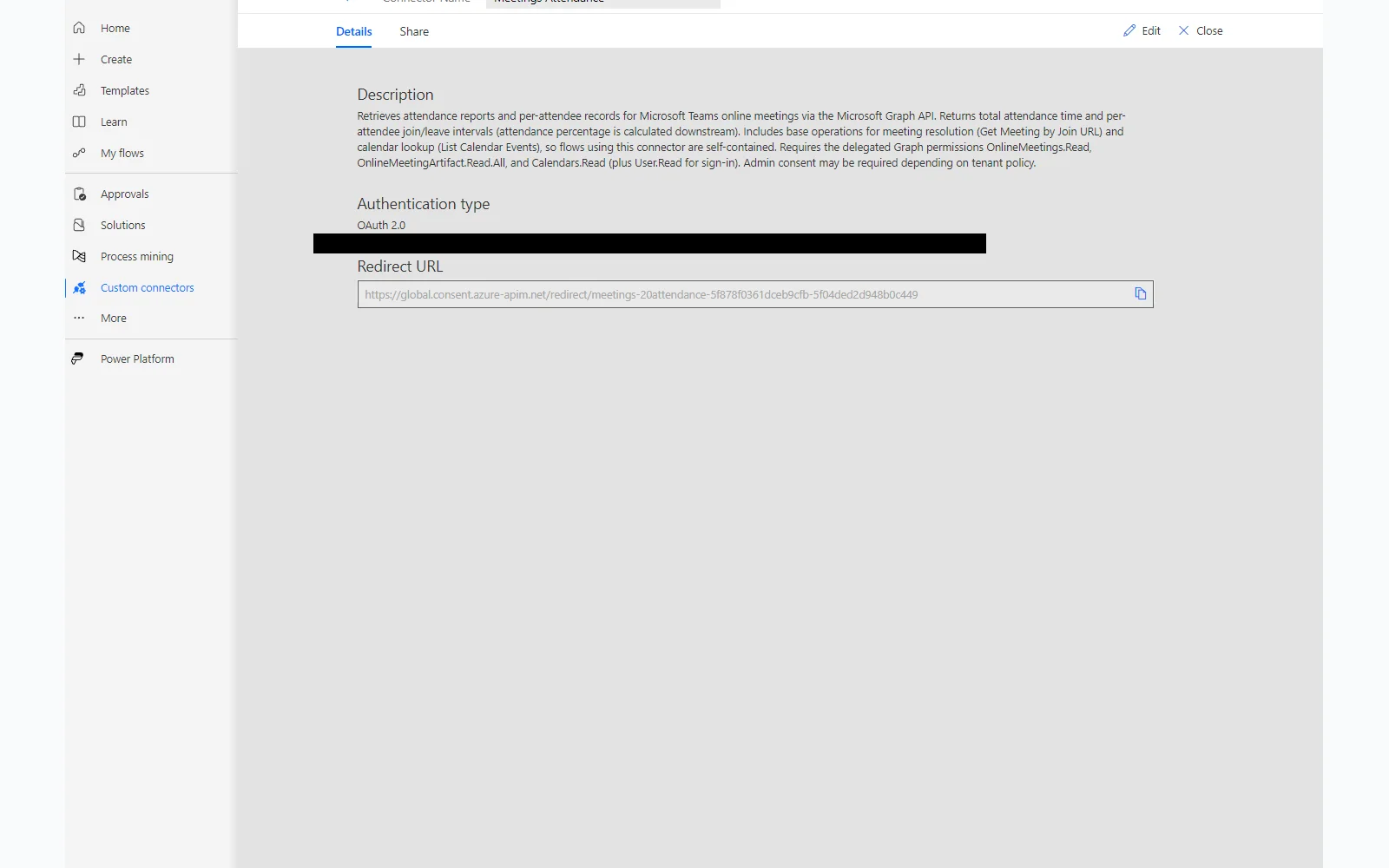
The solution is a Power Automate flow backed by a custom connector that calls the Microsoft Graph attendance report endpoint directly. Trigger it with a meeting join URL. Under a minute later, a formatted Excel report lands in SharePoint.
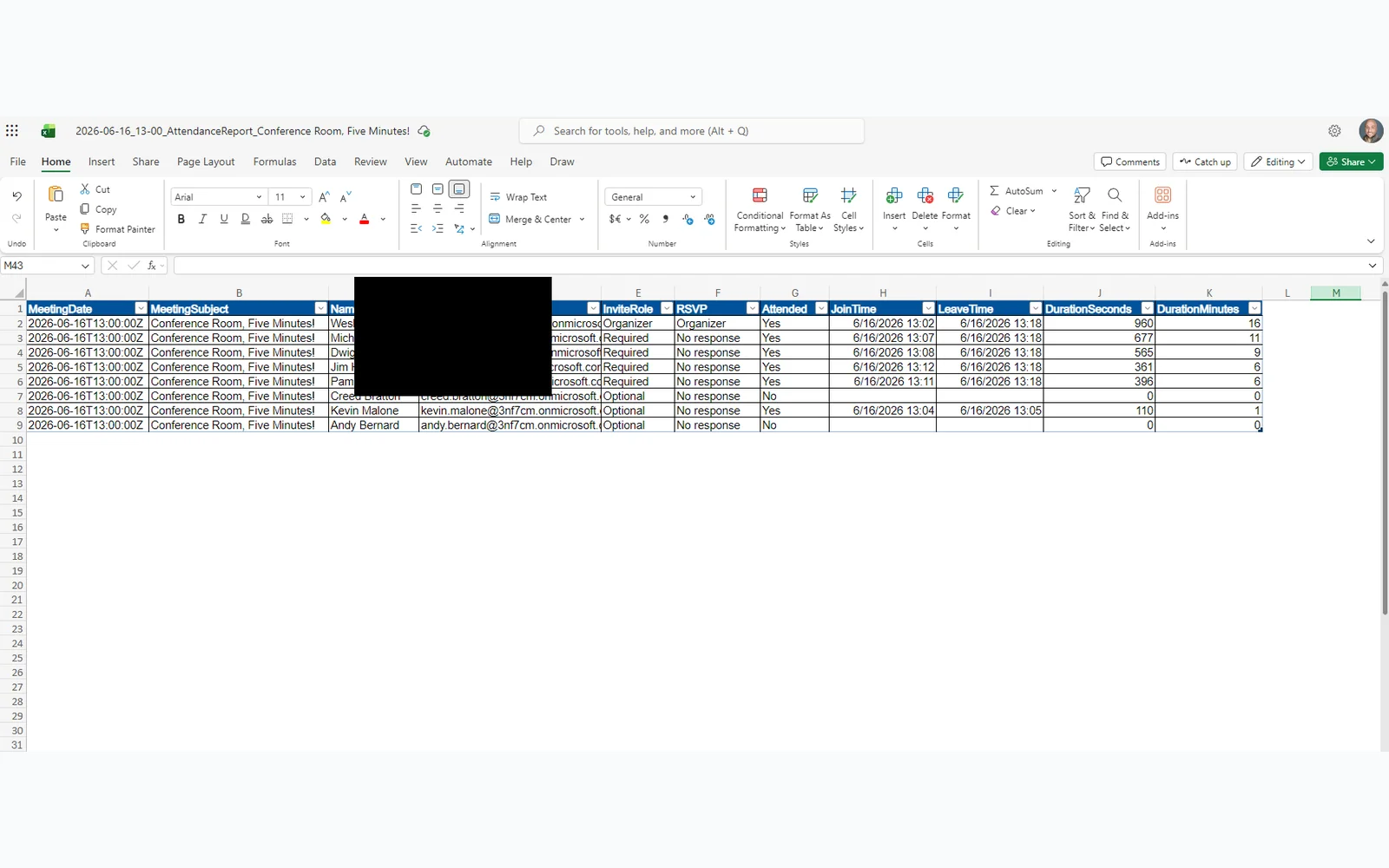
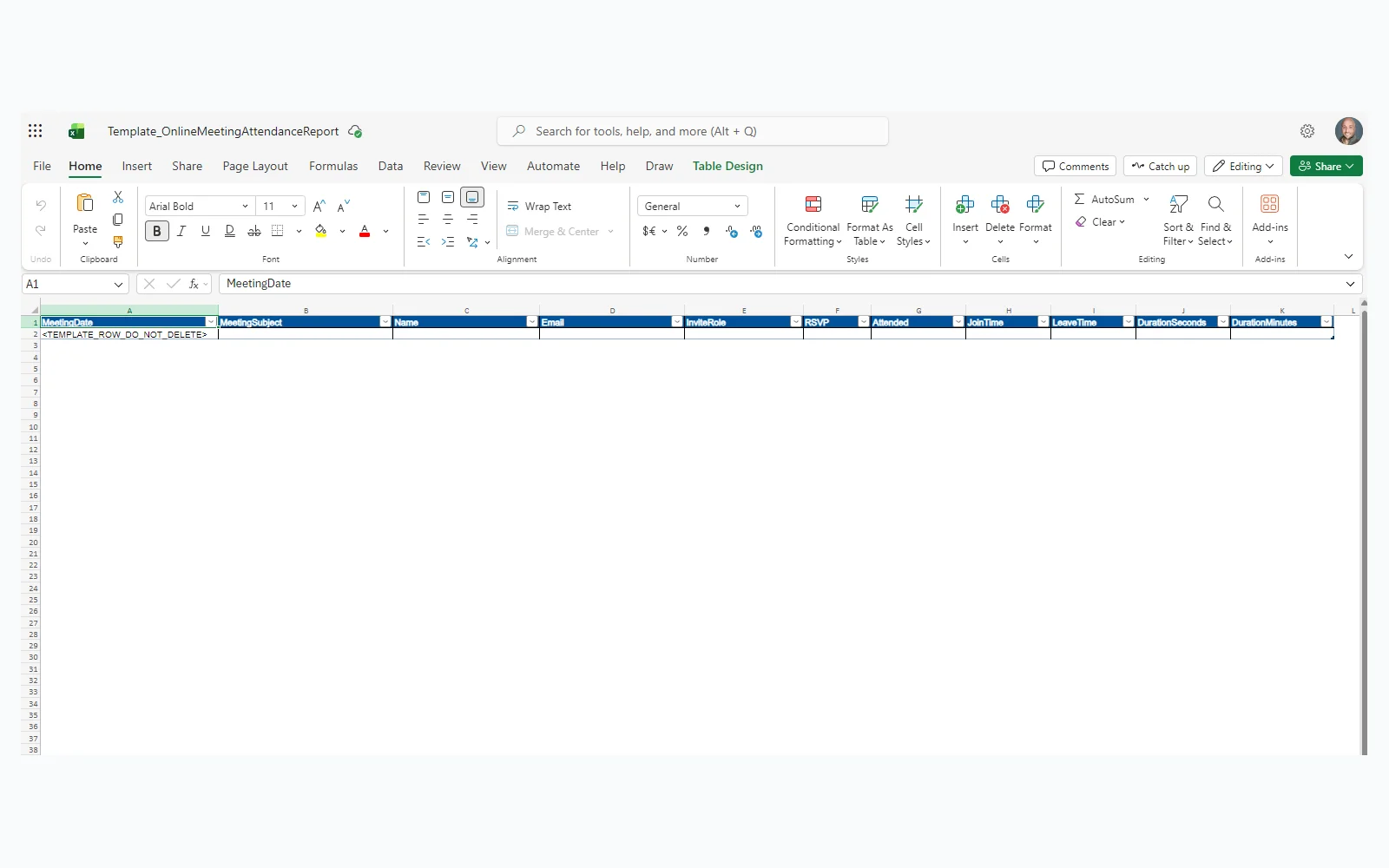
Every row tells you: who was invited (Required or Optional), whether they responded, whether they actually joined, and how long they stayed. A walk-in (someone who attended without being on the invite) shows up with InviteRole flagged as “Not invited.” A no-show shows Attended = No with no time data.
This is the record Copilot cannot generate.
How the Flow Is Organized
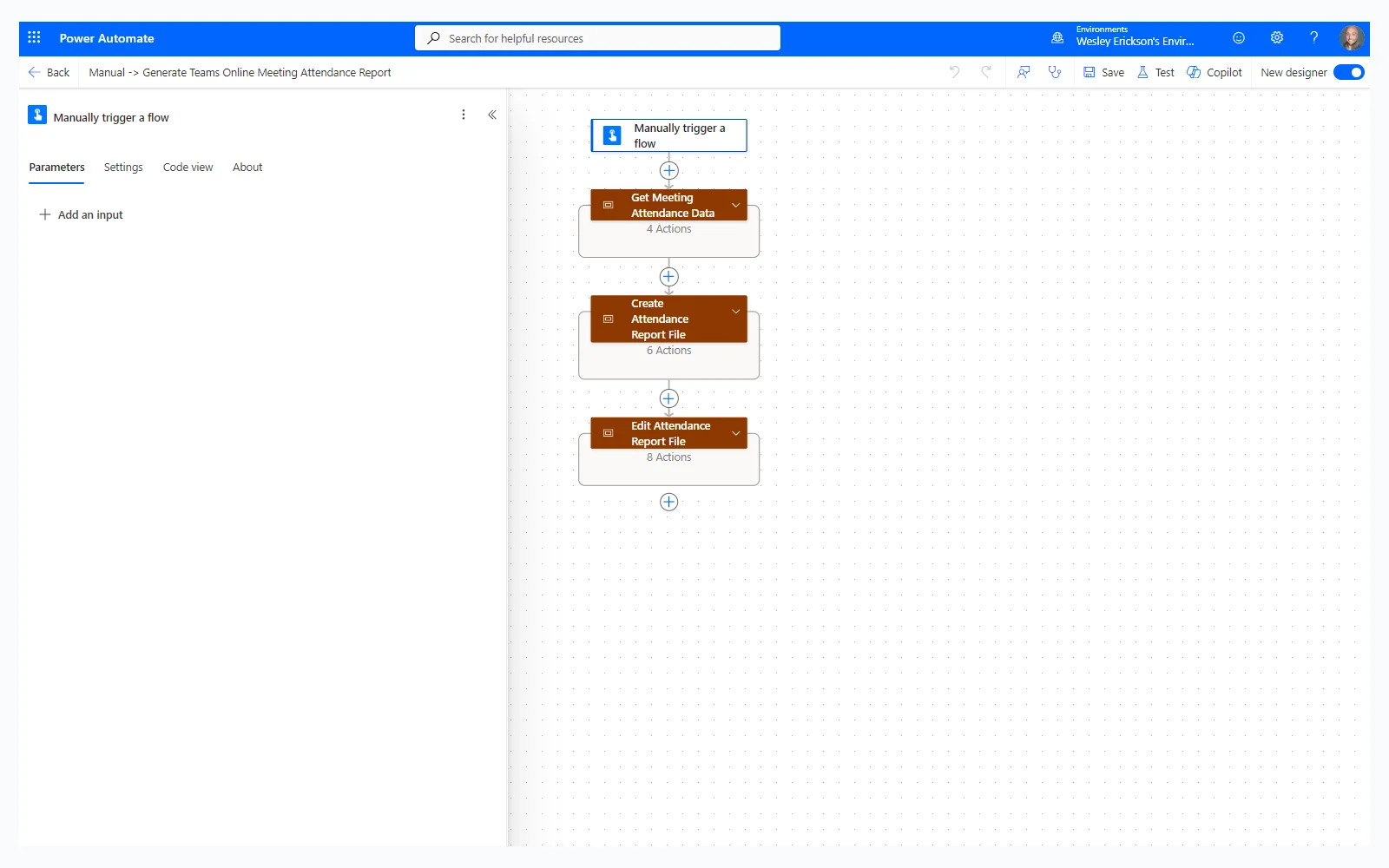
Three scopes keep it readable.
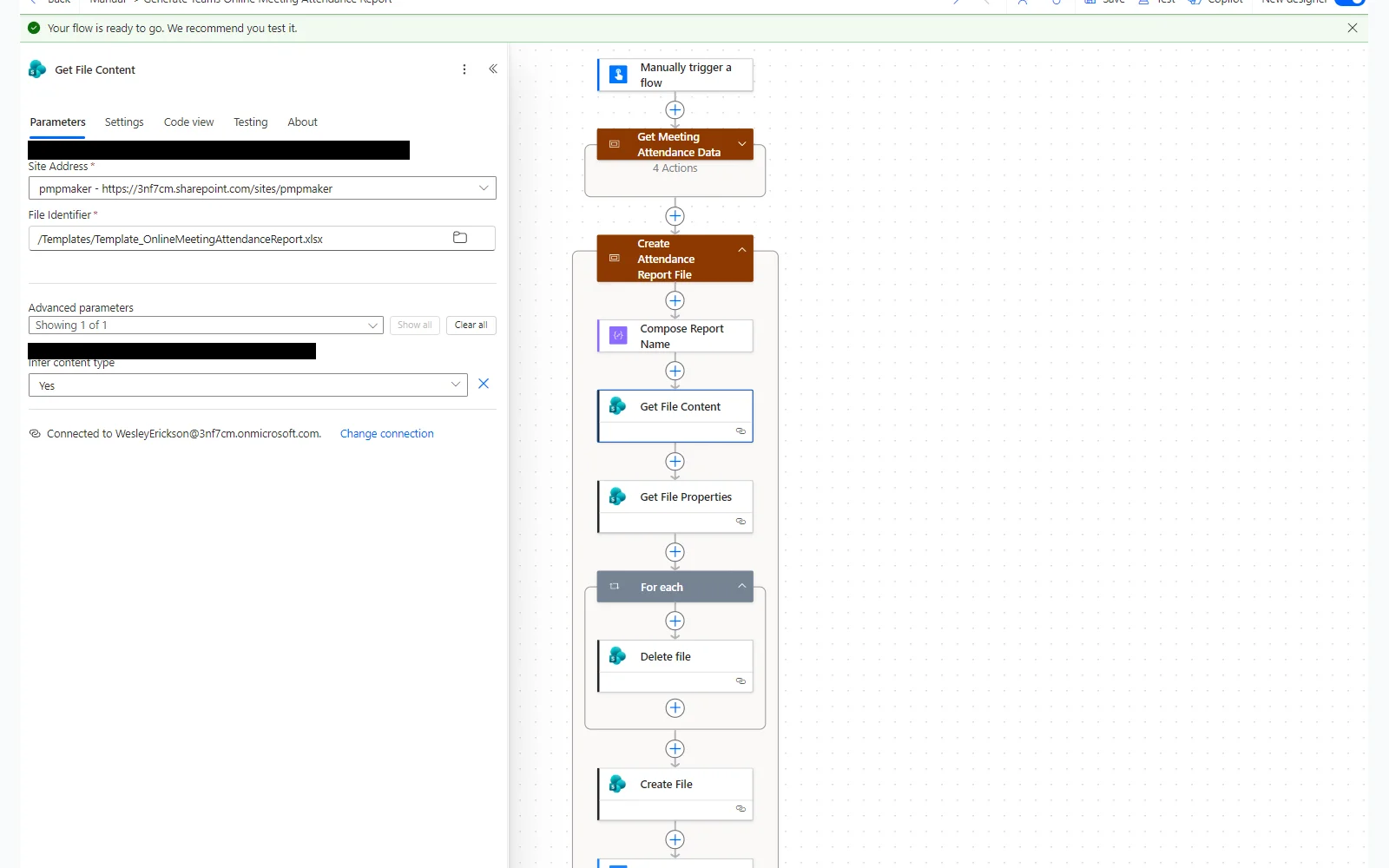
Scope 1 pulls four things from Microsoft Graph: the meeting object, the calendar event (for the invite list and RSVP data), the attendance report, and the per-attendee records with verified join and leave times.
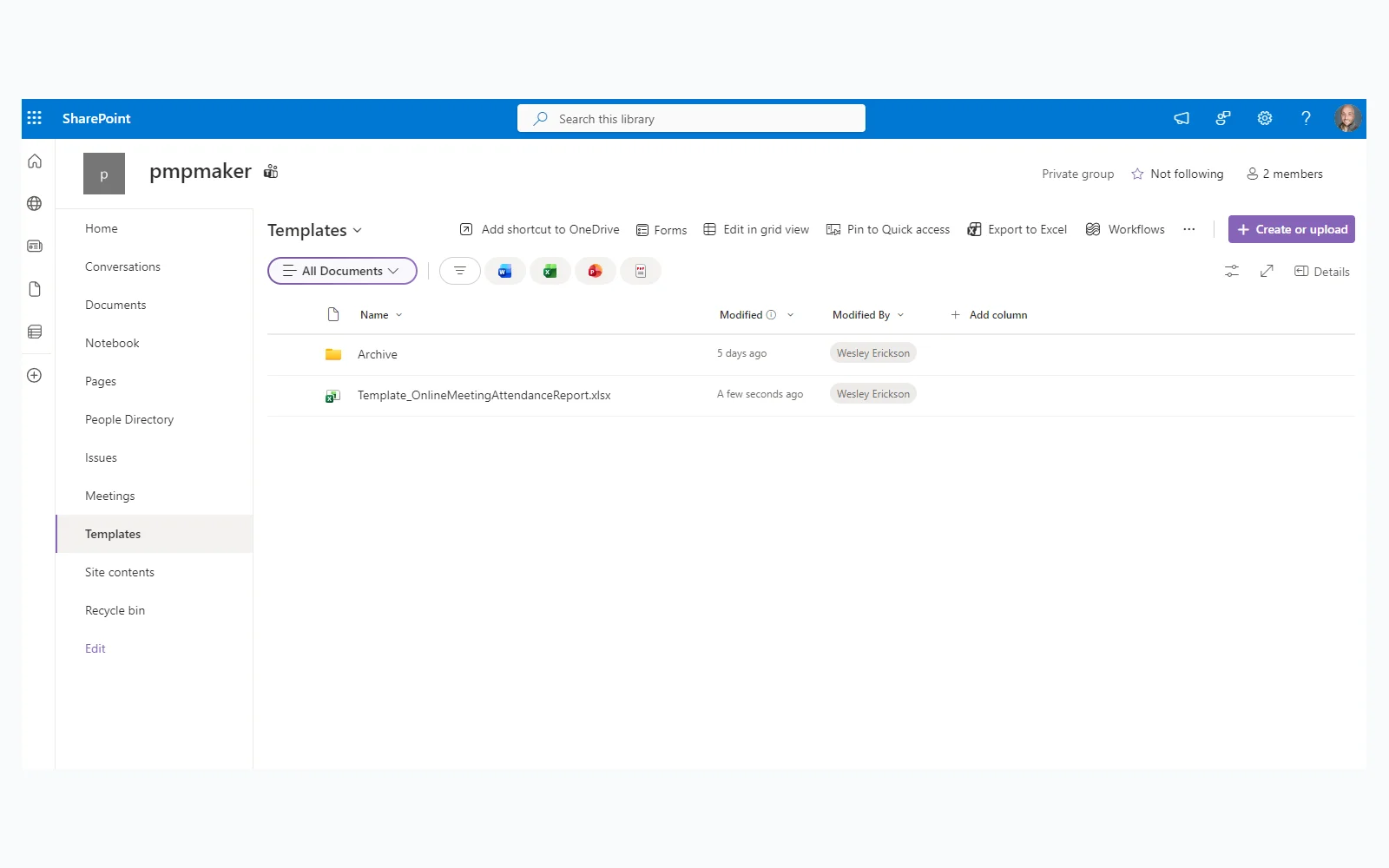
Scope 2 builds the output file. It generates a timestamped filename, reads an Excel template from a SharePoint Templates library, checks for an existing report with the same name and deletes it if found, creates the new file, then waits for Excel Online to register it.
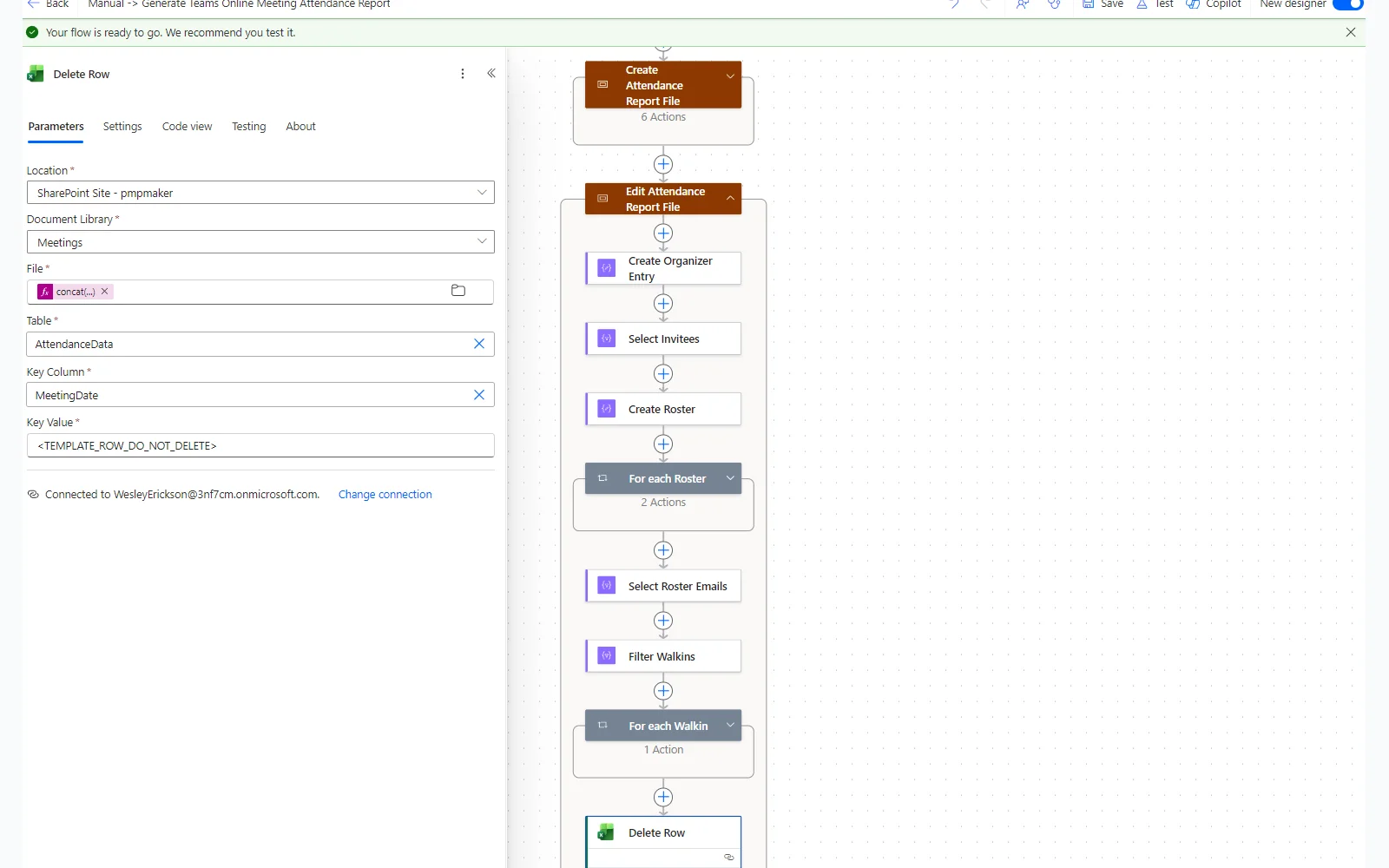
Scope 3 writes the data. It builds the roster by merging the organizer, the invitees, and the attendance records, writes one row per person, and removes the template placeholder row at the end.
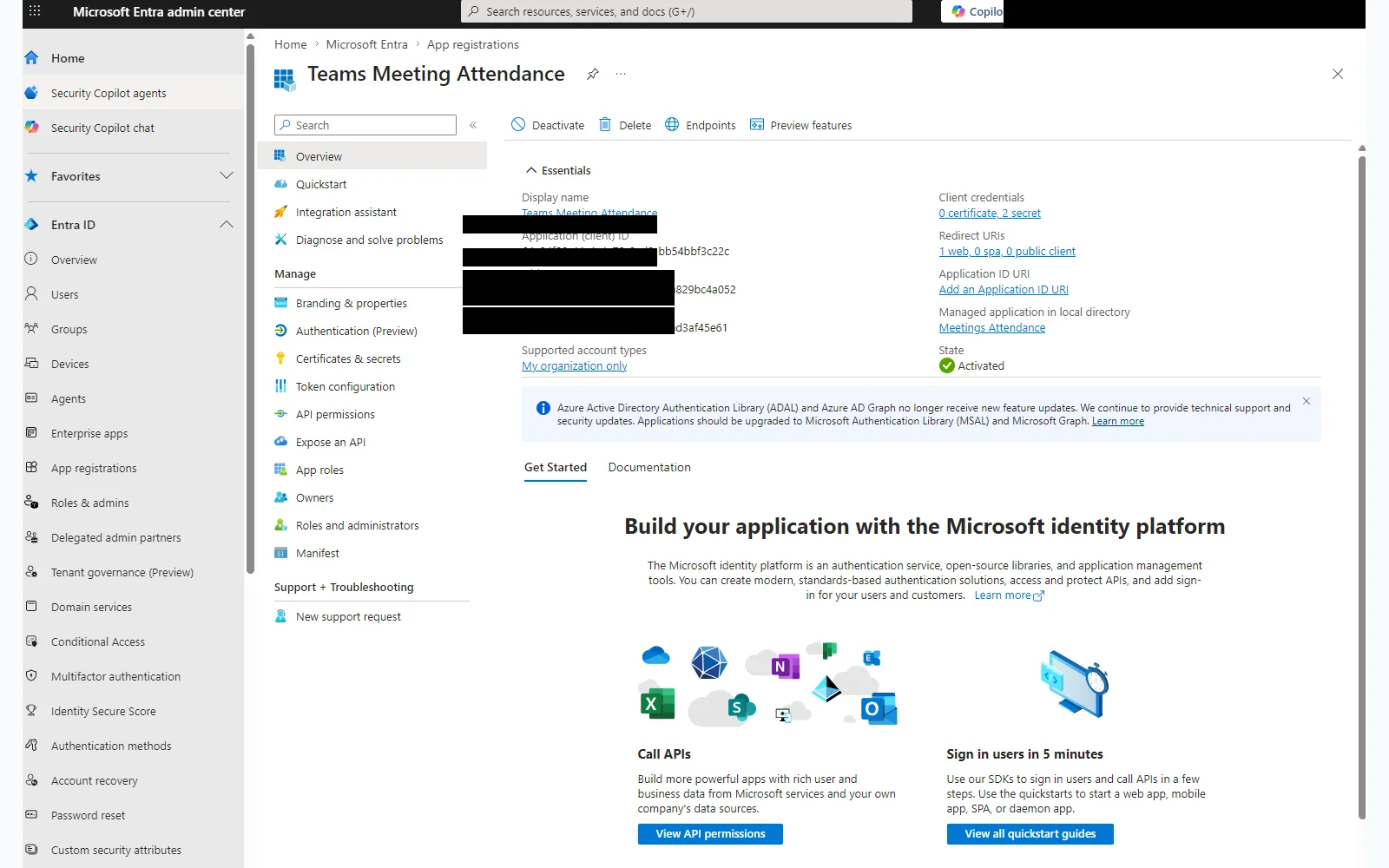
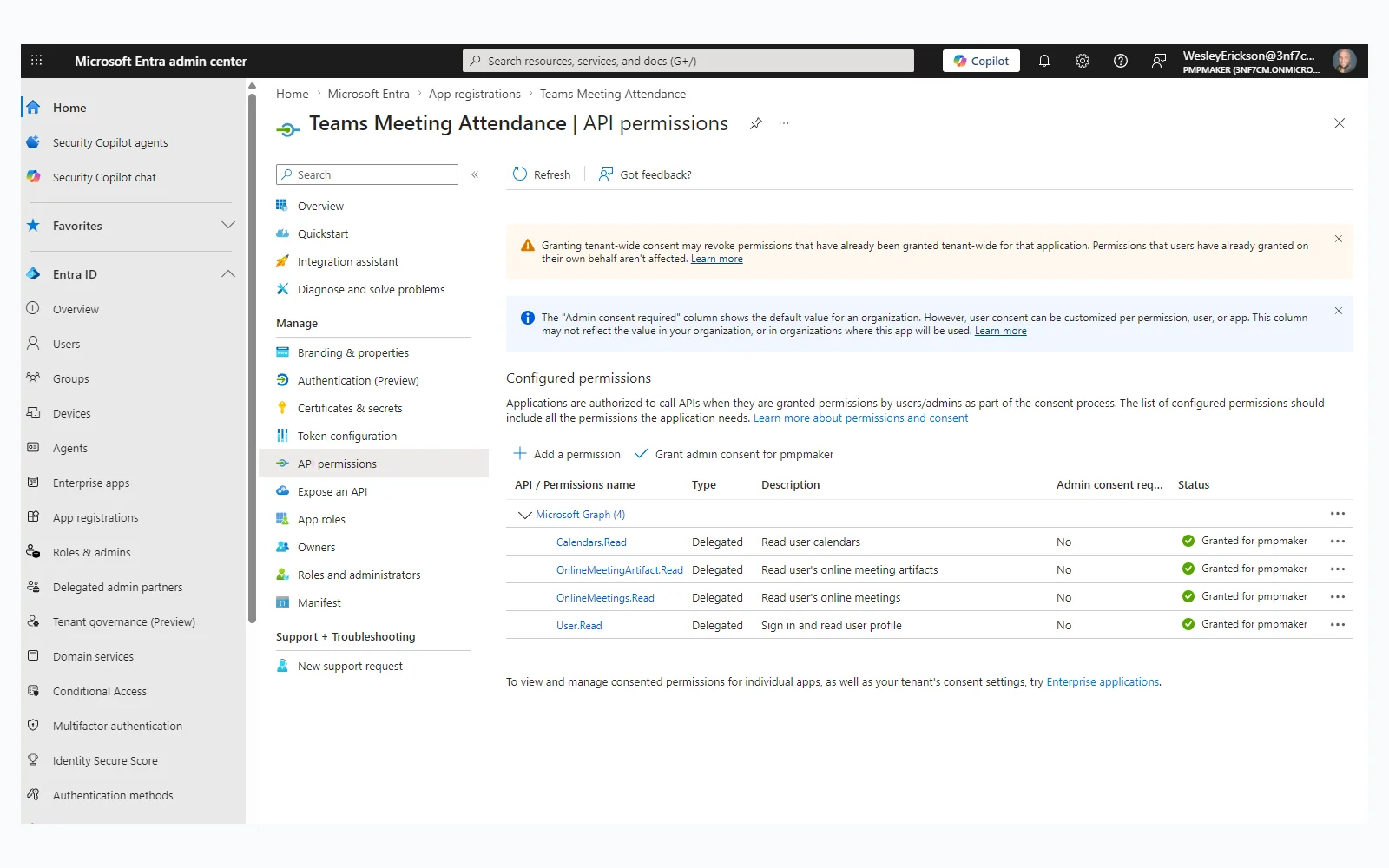
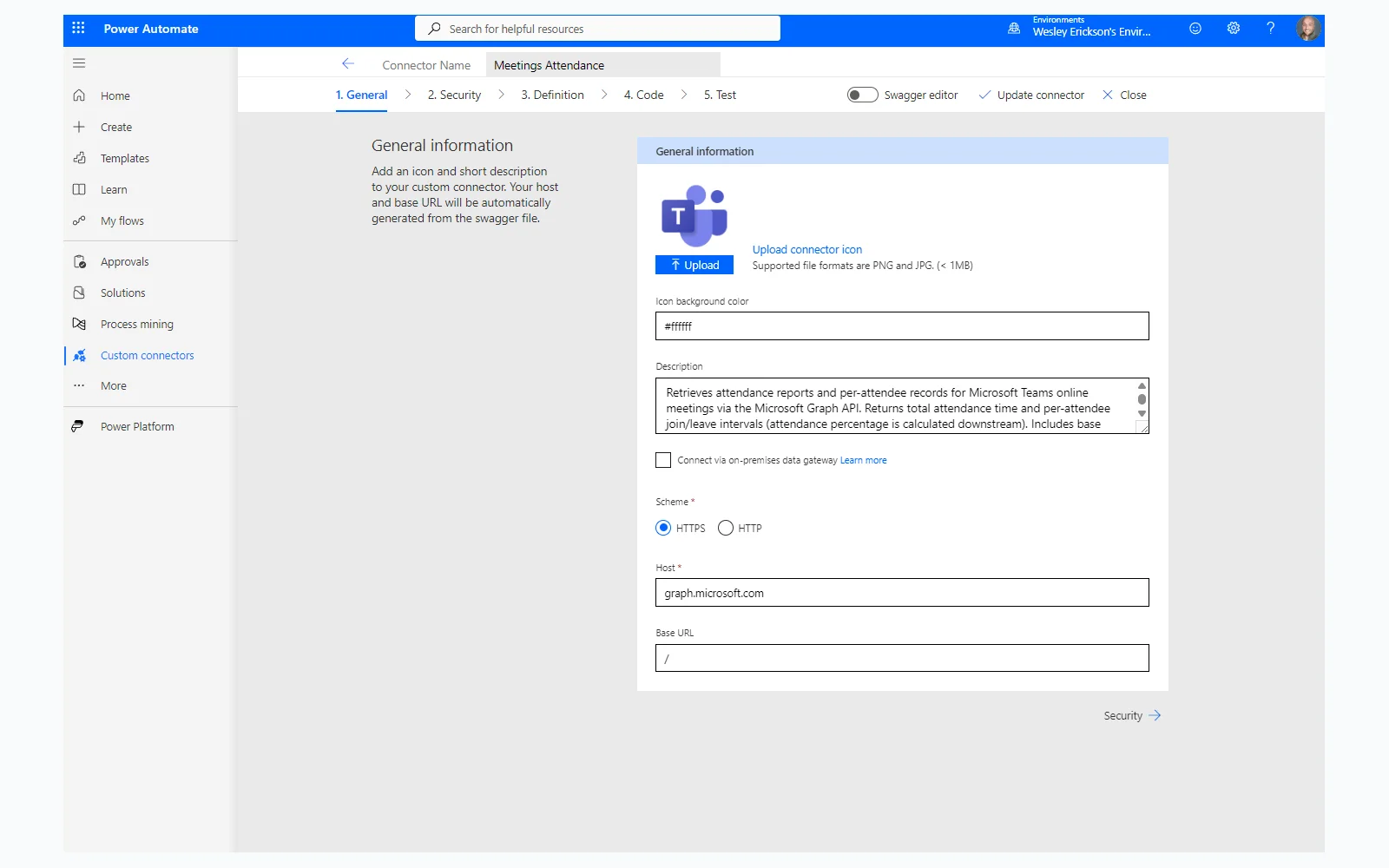
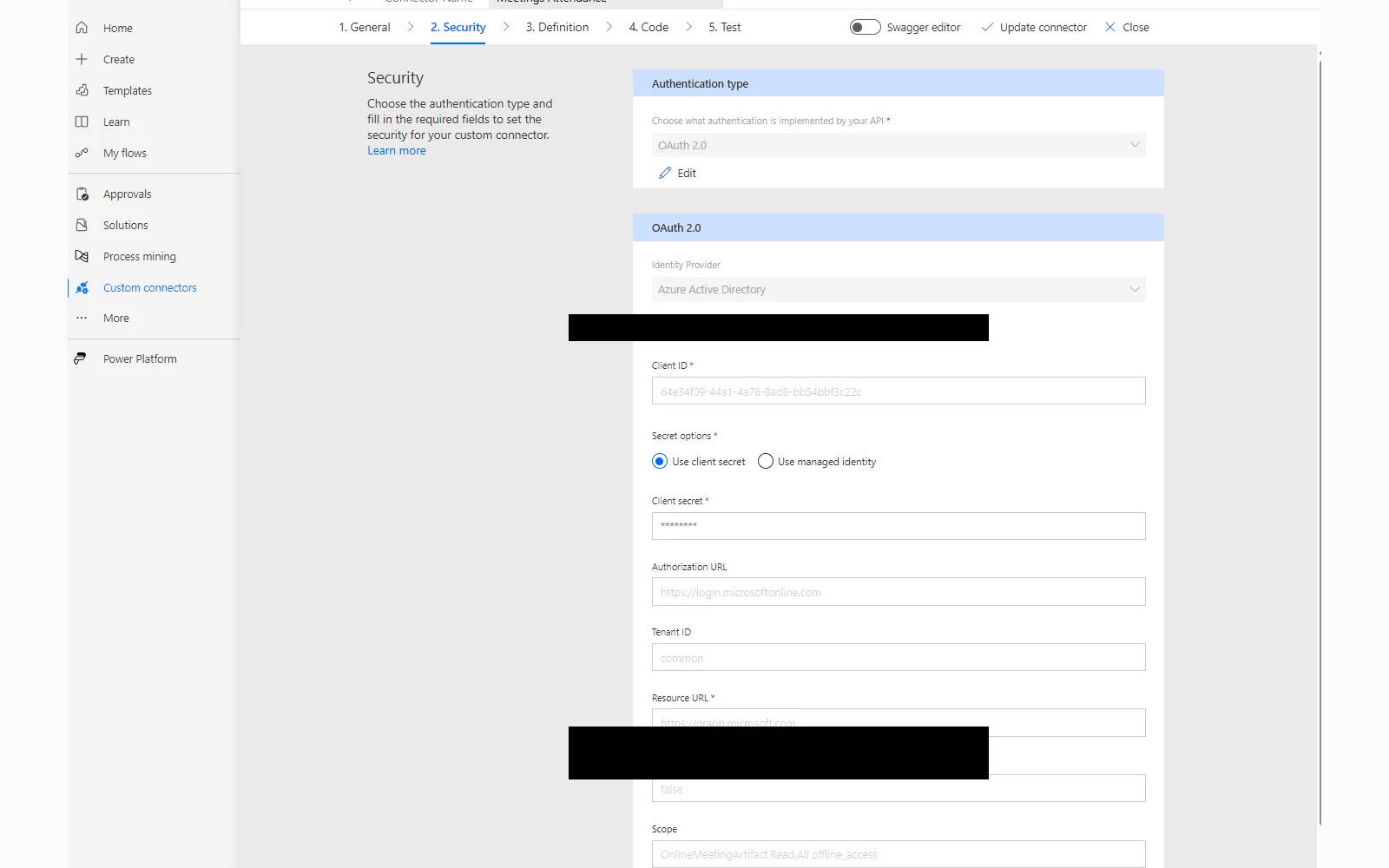
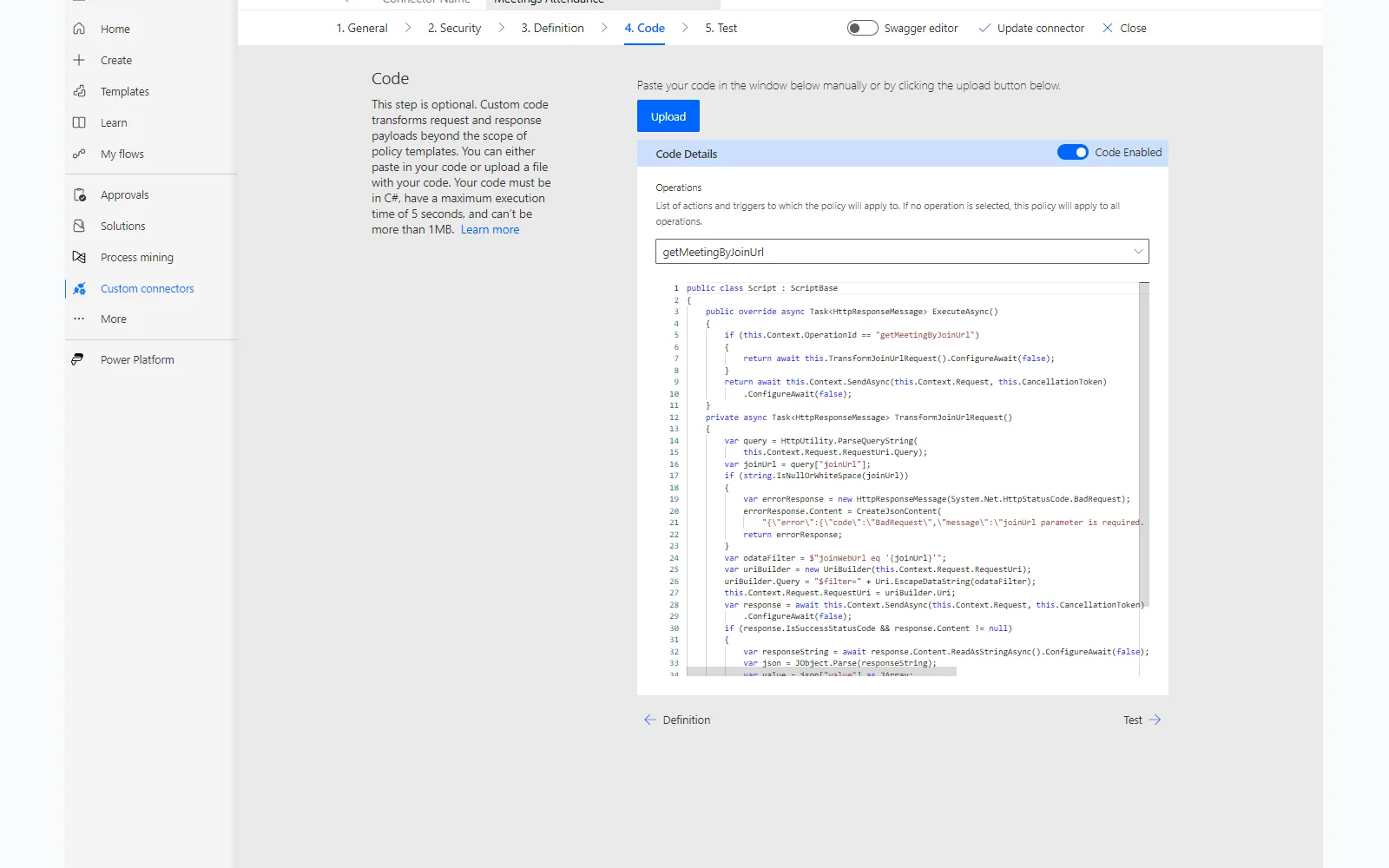
The flow uses a custom connector backed by an Entra ID app registration with four delegated Microsoft Graph permissions. Delegated means the connector can only access meetings the signed-in user already has access to: no tenant-wide access, no data outside your own meetings.
Three Things That Will Trip You Up
If you build this, you will probably hit at least one of these.
The file picker, not the path. The Get File Content action fails with a 400 error if you type the template path manually, even when the path is correct. Use the folder picker icon to navigate to and select the file. The connector needs the picker-generated internal reference, not a typed string.
The Identifier, not the ID. When SharePoint’s Get files action returns a file, it gives you two different ID fields. The one labeled Identifier is what Delete file actually expects. The one labeled ID produces a 404. They look similar. They are not the same.
The OData filter typed as text. The filter that targets only the matching report file must be typed as plain text with inline interpolation, not built in the expression editor as a token. Build it in the expression editor and the designer drops the filter silently on save, returning every file in the library. Verify it survived in Code view.
The Operational Case
When attendance matters (a go/no-go approval, a steering committee meeting, a compliance review), you need a record that can be trusted. Copilot Intelligent Recap and Facilitator’s Collaborative Notes are useful summary tools but they do not capture attendance. The distinction matters when someone asks who was in the room for a decision that went wrong, or when you need to demonstrate that the right stakeholders were present for an approval.
The Graph API attendance report endpoint is the verified source. Teams records this data for every online meeting. This flow makes it accessible in the format your team can actually use.
Where This Goes Next
The attendance report is one piece. The native Teams connector actions that shipped recently unlock the rest: transcripts, recordings, AI Insights, and call records — all accessible without custom connectors. The next iteration of this flow triggers automatically when a meeting ends and writes the file to SharePoint without any manual input. The report just shows up.
From there, the goal is an orchestrator: a Copilot Studio agent that pulls from all of it in a single interaction. Ask it who attended a go/no-go meeting and it returns a verified record. Ask it what decisions were made and it grounds the answer in the actual transcript. Ask it whether the right people were in the room for a key approval and it can cross-reference attendance against the invite list.
The distinction between participation data and attendance data starts to matter at scale. An agent that reads only transcripts will miss the executive who joined on mute for the entire call. One grounded in the attendance report will not.
Each component is already available within a standard Microsoft 365 license. The attendance report gap this post documents is the first piece. The orchestrator is where it becomes a program-level capability.
Stay in the Loop
Occasional emails when new posts go live. No spam, no sales; just PM insights, automation tips, and homelab notes.
Powered by Buttondown. Unsubscribe anytime.